The Case
We are using Power Automate to copy an item from one list to another. The original item might have file attachments, so, in addition to copy the fields, we need to also copy the attachments. This cannot be done in the regular Create Item SharePoint action, so we needed to find another way.
The Solution
In our main flow, we are copying all the fields from the first list to the second in a Create Item action as follows:

The next step is to update the newly created item with the attachments from the original item. We are doing this through a reusable child flow in the same Power Platform solution. In this way, we can use the attachment functionality in other flows if needed:

The “Copy attachment” flow is triggered using an HTTP trigger with a JSON body as shown in the image above. Since the “When an HTTP Request is received” is a premium trigger, you could instead use a manual trigger if the owner of the flow does not have access to the premium triggers.

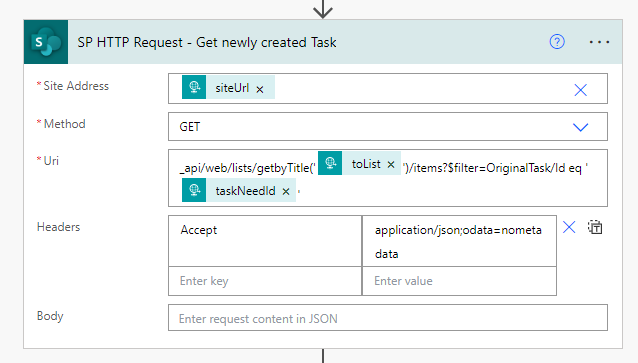
When the flow is triggered, we do a SharePoint HTTP Request based on the input JSON to fetch the newly created item that should receive the attachments. In this way, the flow can be used by any list on any site in the tenant. (In the image below, this is not completely correct since we filter on a specific field name for our solution (“OriginalTask”), but this can easily be parameterized through the trigger input). This request returns an array with one item that we need to get the ID of the newly created item.
The next step is to get the attachments using the “Get attachments” SharePoint action:

And then, for each attachment, we can get the file content using the “Get file content” and “Add attachment” SharePoint actions:

The complete flow looks like the following:

 umeaworks